

Accounting and invoicing software
Your books, done right, without being an accountant.
Invoices, bills, payments and cheques post themselves to a real double-entry ledger, in every currency you trade in. The reports are ready whenever you need them.
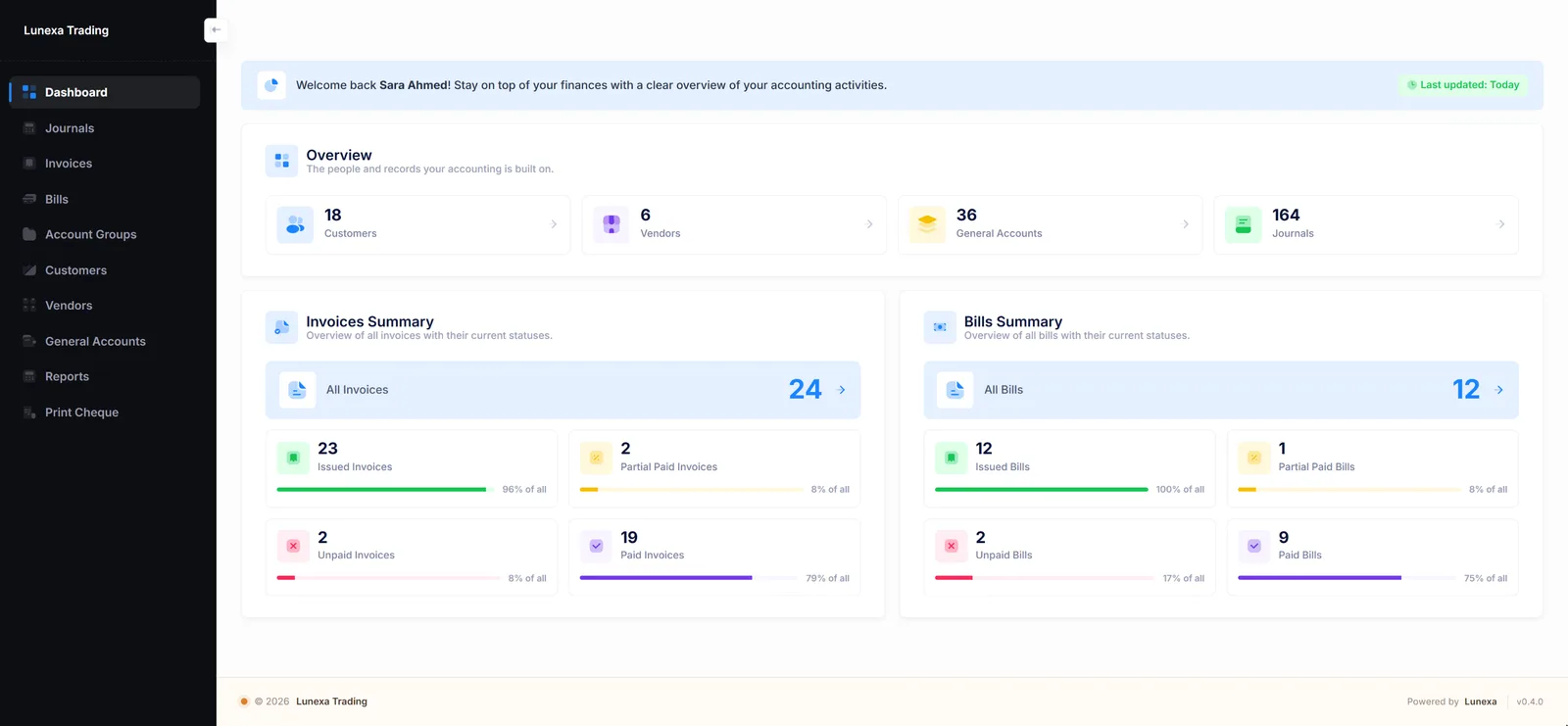
How it works
- 1
Set your currencies
Choose your base currency and the exchange rates of the others.
- 2
Open a fiscal year
Records are booked in a fiscal year, and only the open one can change.
- 3
Build your accounts
Account groups, bank and cash accounts, customers and vendors, with opening balances.
- 4
Record invoices and bills
Each one and each payment posts its journal on its own.
- 5
Read your reports
Profit and loss, balance sheet, tax and more, exported to Excel or PDF.
What you get
Invoices and bills
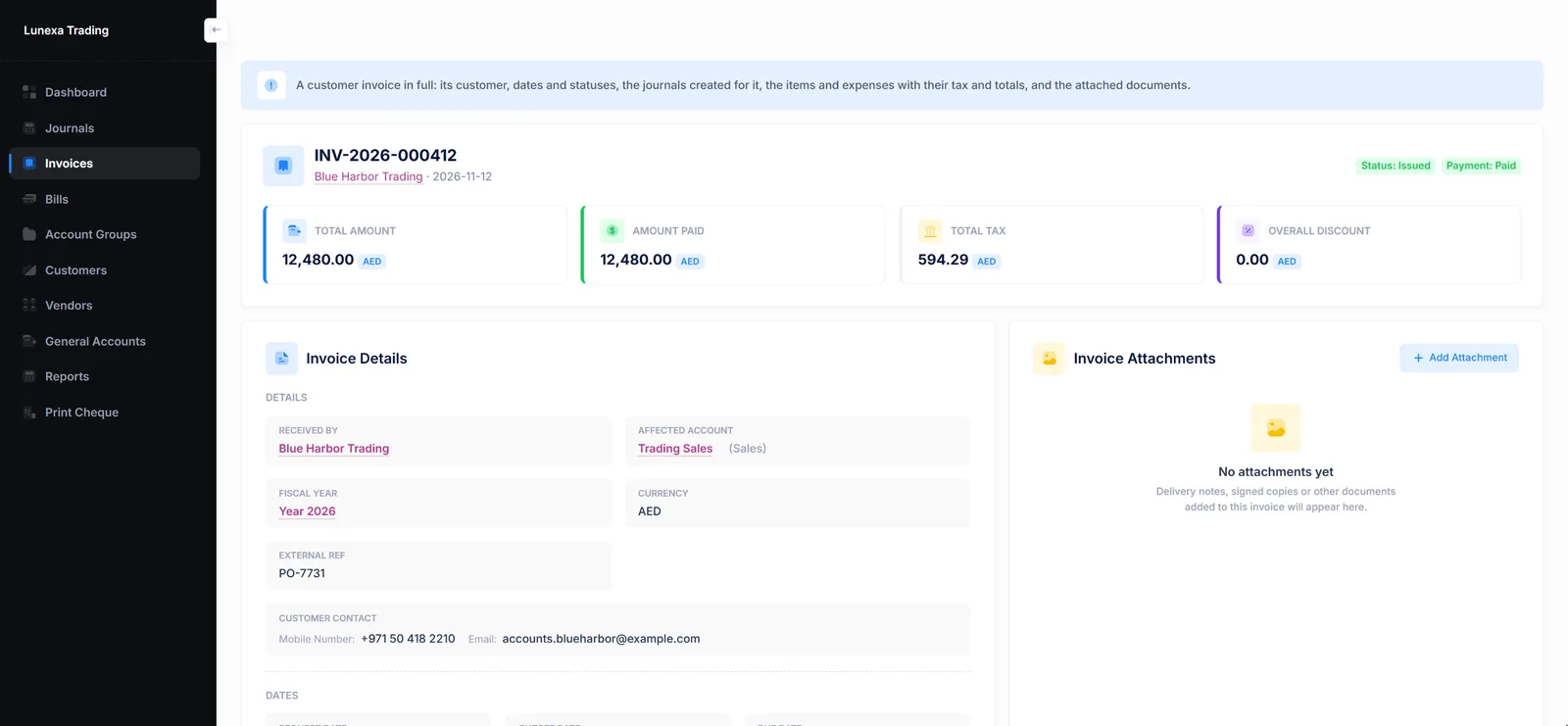
What customers owe you and what you owe suppliers, with tax, discounts and attachments on every record.
- Unpaid, partly paid or paid at a glance
- Returns, revokes and refunded payments
- Printed and exported to Excel
Journals
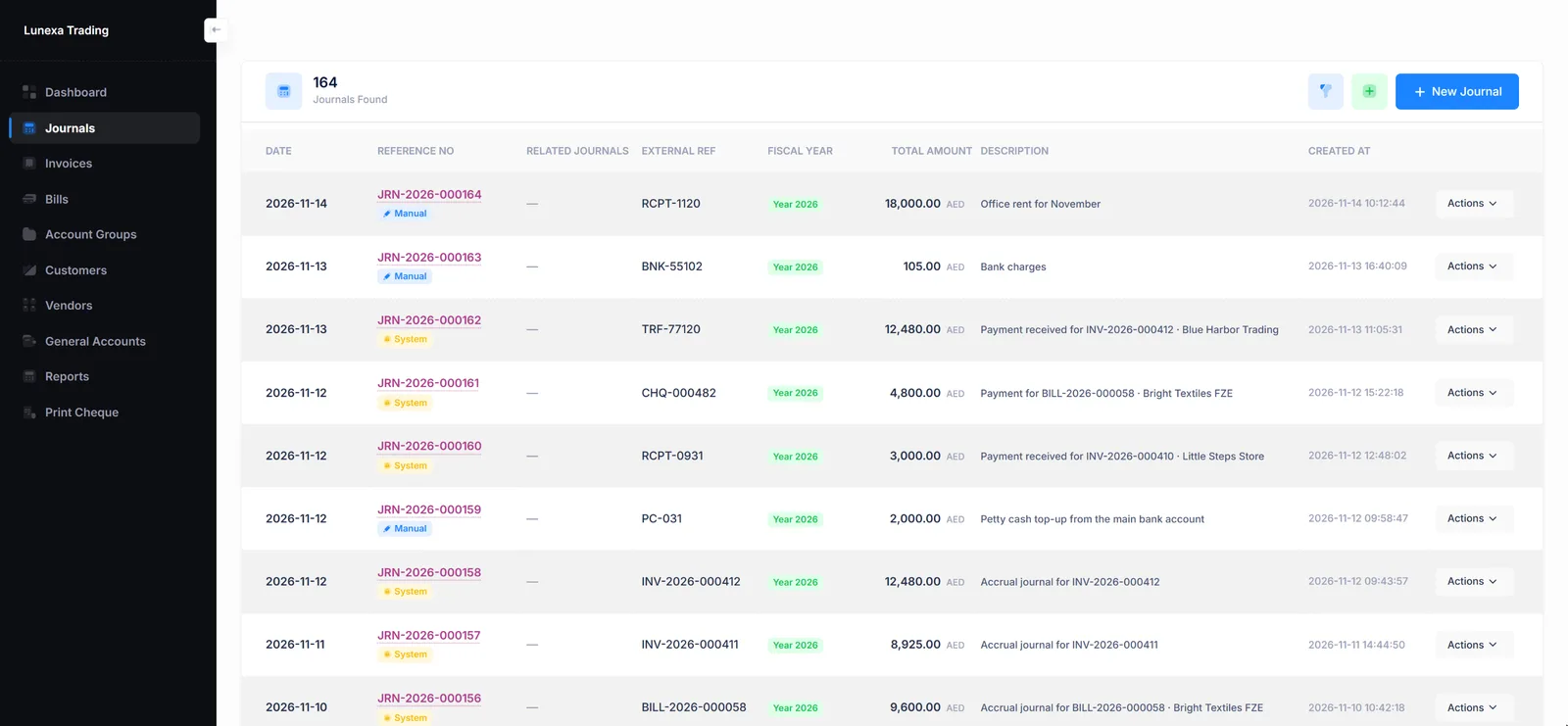
Every movement is recorded twice, as a debit and a credit, so the books always balance.
- Posted by invoices, bills and payments
- Your own journals, full or simple
- Linked to the record that created them
Customers, vendors and accounts
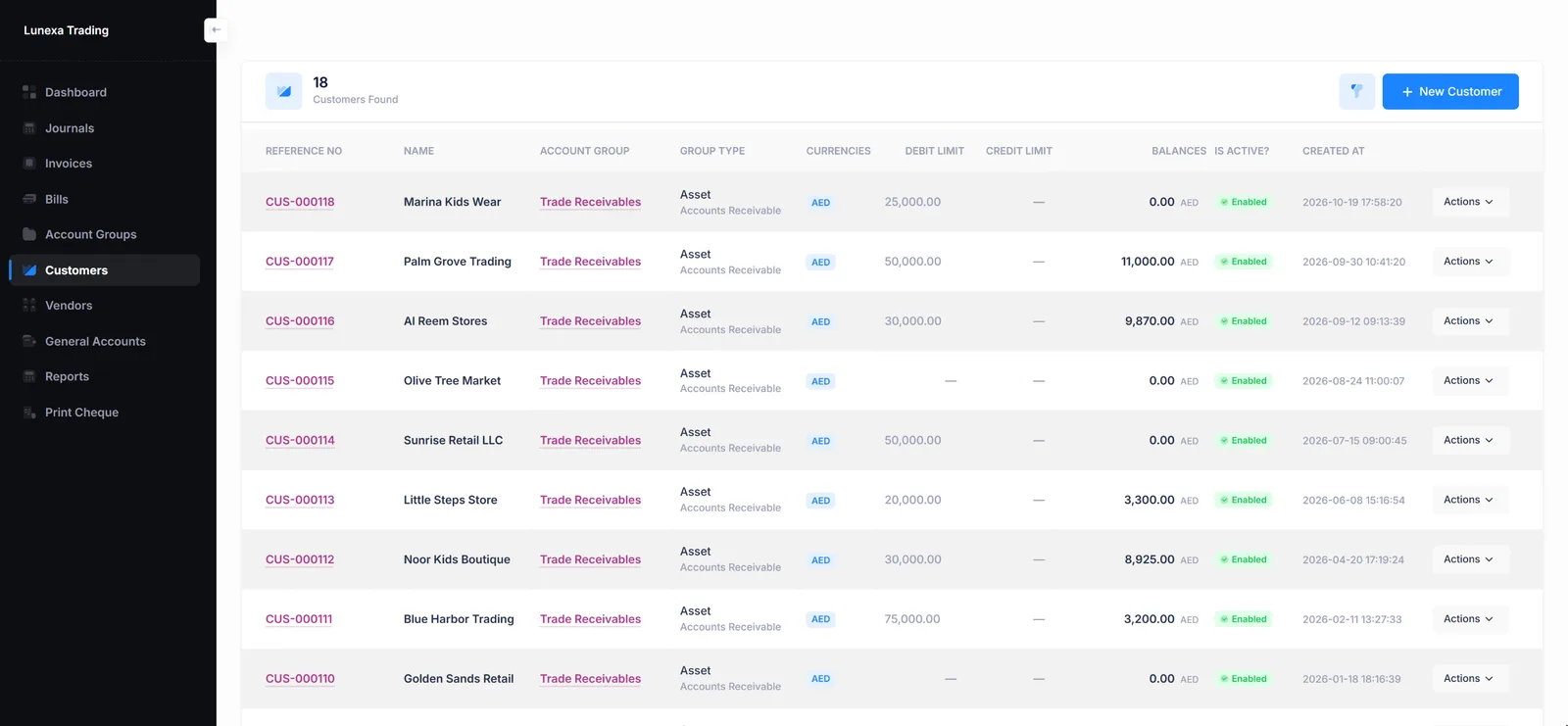
Customers, vendors and general accounts, organised in account groups, with credit limits and balances.
- Account groups for your chart of accounts
- Bank, cash, revenue and expense accounts
- Opening balances and account statements
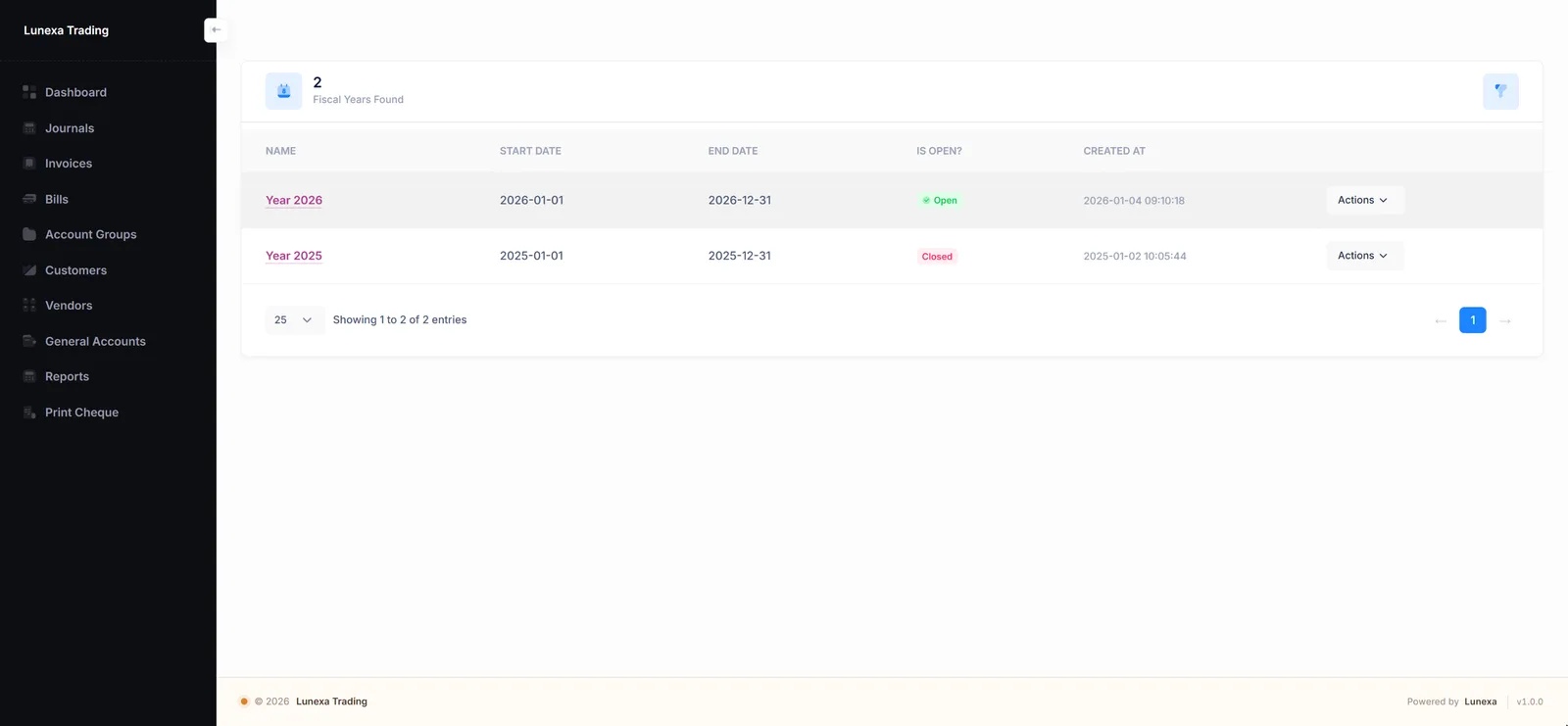
Currencies and fiscal years
Work in several currencies with their own exchange rates, and keep each year's books apart.
- A base currency and exchange rates
- Fiscal years opened and closed
- Switch between years
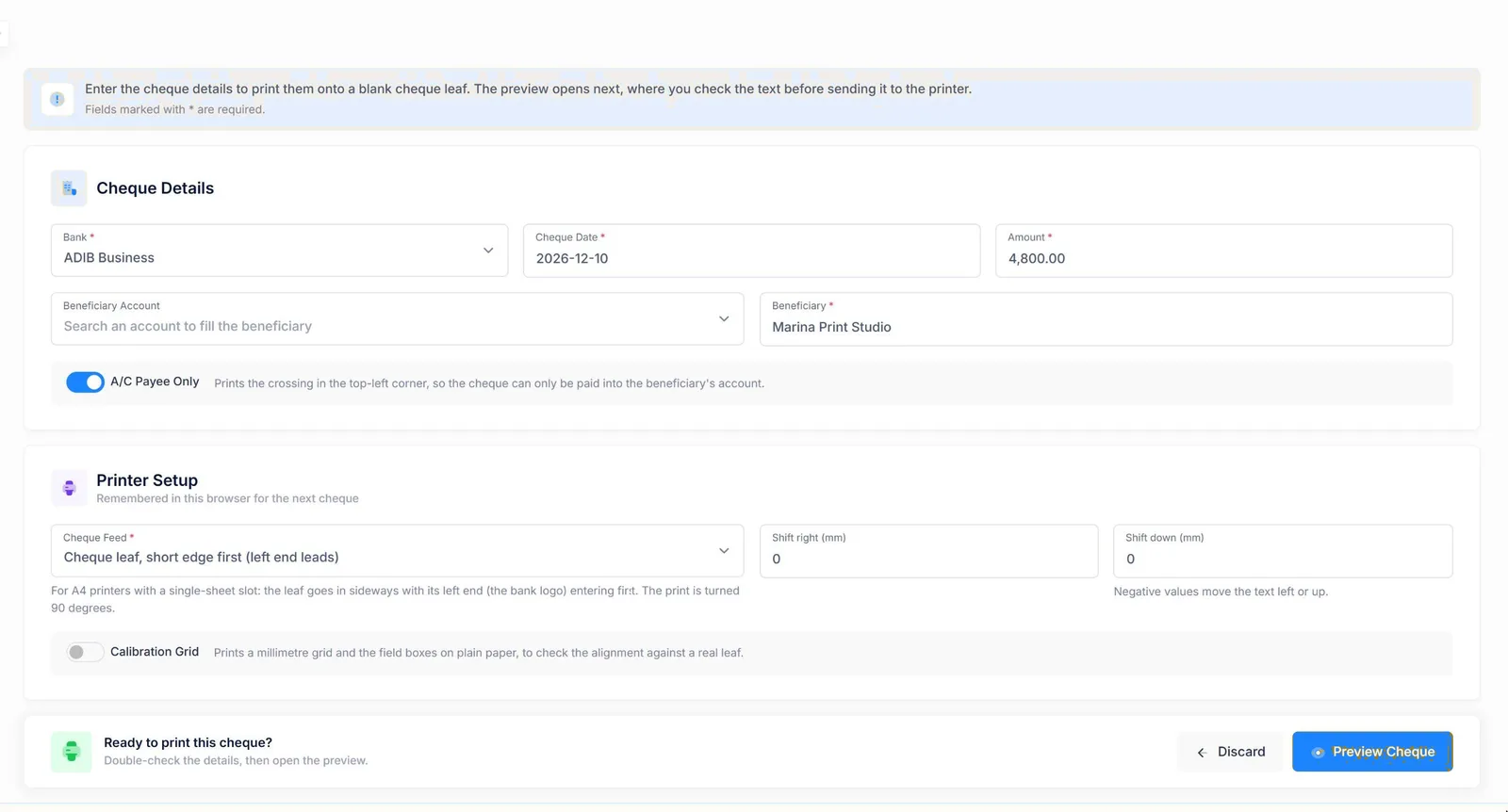
Cheques
Post-dated payments are tracked on the invoice or bill, and cheques print straight onto the bank's leaf.
- Post-dated payments on invoices and bills
- The amount in words, with the fils
- A/C Payee Only and a calibration grid
9 reports in 4 groups
Reports
Pick a currency and a fiscal year, and export any report to Excel or PDF.
Financial statements5
- Account statements
- Trial balance
- Balance sheet
- Cash flow
- Tax report
Receivable and payable2
- Receivables
- Payables
Business performance1
- Income statement
Accounting records1
- Journal entries
Before and after
Without Lunexa: Invoices in Word, totals in Excel
With Lunexa: Invoices and bills with their payments in one place
Without Lunexa: Cheques written out by hand
With Lunexa: Cheques printed with the amount in words
Without Lunexa: Post-dated cheques kept in a notebook
With Lunexa: Post-dated payments tracked on the invoice or bill
Without Lunexa: A journal typed by hand for every sale
With Lunexa: Journals posted for every invoice, bill and payment
Without Lunexa: Reports rebuilt at the end of the year
With Lunexa: Balance sheet, profit and loss and tax report at any time
Included in every panel
Roles and permissions
Give each role exactly the buttons it needs, and let people see everything or only their own records.
Audit logs
See who changed what, and when.
Login history and devices
Check each user's sign-ins and active devices, and sign them out remotely.
Currencies and fiscal years
Work in several currencies, with fiscal years you can switch between.
Works on phones
Every page works on a phone, with tables that turn into cards.
Help on every page
A guide for each page, written for the people who use it.
See Lunexa with your own business in mind
Tell us how you work today and we'll walk you through the panel that fits.